7 Best Translation Plugins to Support Your Multilingual WordPress Sites
A multilingual WordPress site helps you reach international audiences, and a translation plugin is the fastest way to build one. Here's how the seven most popular options - ConveyThis, WPML, GTranslate, Loco Translate, Polylang, TranslatePress, and Weglot - compare on languages, features, and price.


7 Best Translation Plugins to Support Your Multilingual WordPress Sites
Your website is your global connection point in today’s digital world.
As businesses expand internationally, quality translation has become an important, not optional, tool for reaching new markets. That’s where BeTranslated comes in - we offer expert translation services for businesses of all sizes, ensuring our websites and marketing materials are localized and accessible to international audiences.
But translating content is just one piece of the puzzle. This is where translation plugins come into play: they let you display your WordPress site in multiple languages without rebuilding it from scratch.
For business owners, having a multilingual WordPress site helps improve their brand localization strategy and widen their reach. This article reviews the seven best WordPress translation plugins to consider, so you can find the perfect fit for your project.
ConveyThis: Machine, Human, and Self-Translations

If there is one truly convenient way to translate your website, it must be through ConveyThis!
It is the most translated language plugin in the WordPress directory (over 38 language contributions) and is growing fast.
ConveyThis makes it very simple to integrate into WP website and activate as many as 100+ languages.
ConveyThis uses automatic machine translation to translate your entire site, and adds a language switcher button.
So within the first couple of minutes, you’ll already have a working, SEO-friendly multilingual site.
It comes with both free and paid plan. Free plan that lets you translate up to 5,000 words into one language, the paid plans use SaaS-style billing, which means you’ll need to continue to pay for as long as you want to use the service.
Paid plans start at $12/month for one language and up to 30,000 words.
Key Features of ConveyThis
- Translate to 100+ languages
- Fast and accurate automatic machine translation
- Translate attributes, alt text, meta text, and page URLs
- 100% compatibility with all themes and plugins (including WooCommerce)
- SEO-optimized (all translated pages will be indexed by Google, Bing, Yahoo, etc.)
WPML: Machine, Human, and Self-Translations
The WordPress Multilingual plugin (WPML) is one of the oldest and most popular translation plugins. WPML now powers over 1.5 million WordPress sites, including those of businesses, agencies, and personal blogs. Which plugin you choose also affects what a project costs, because themes and plugins that hide strings from translators create extra work, as our post on what shapes website translation pricing explains.

Key Features of WPML
- 65+ pre-configured languages, plus custom language variants via WPML’s language editor
- Translate posts, tags, categories, and custom taxonomies from one management screen
- String translation to translate WordPress themes and plugins
- Third-party integration for site owners who outsource translations
- Professional translation services available right from the WordPress dashboard
- SEO-aware: translate URLs, meta descriptions, and plugin information
- Fully compatible with WooCommerce and WP Rocket, so product listings, carts, and checkouts localize cleanly
WPML is a premium-only WordPress translation plugin. Subscriptions start from $39/year.
For more advanced features, such as automatic translation, string translation, and eCommerce support, opt for the Multilingual CMS plan for $99/year.
GTranslate: Machine Translation
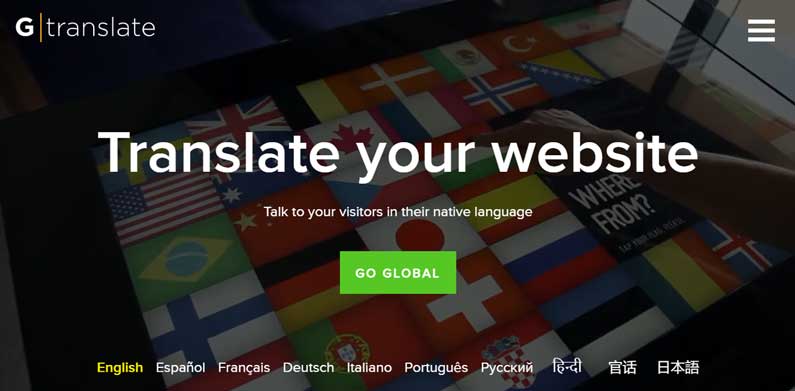
GTranslate is one of the most user-friendly translation plugins. The Google Translate API integration enables users to automate their site translation process. It also lets you choose among 103 languages, including right-to-left languages such as Arabic.
Key Features of GTranslate
- String translation for widgets, themes, and plugins
- SEO-friendly: two custom URL suggestions plus country-specific URLs to optimize multilingual SEO strategies
- Several language-switcher widget designs, including dropdown menus, flags, and text, so you can match your overall user experience
- Compatible with popular plugins, including WooCommerce and Yoast SEO
- Google Analytics integration to track multilingual site performance
GTranslate is a freemium translation plugin.
The free version comes with access to all available languages, Google automatic translator, and unlimited words.
The paid plans, starting from $10/month billed annually ($12/month billed monthly), pack more advanced features like search engine indexing, translation editing, URL translation, and language hosting.
Loco: Self-Translation
Loco or Loco Translate, powering over one million multilingual websites worldwide, is the most popular WordPress translation plugin.
Key Features of Loco Translate
- Import and export translations to different file formats, including JSON, XML, Android, and iOS
- Works with Google, Microsoft, Yandex, Lecto AI, and DeepL Translate APIs
- Intuitive interface that non-developers can navigate just as easily as developers
- Built for translating WordPress themes and plugins
- No automatic translations, so keep track of updates yourself
The Loco Translate plugin itself is entirely free, with no paid tier of its own. The paid limits below belong to Loco (localise.biz), the plugin maker’s optional companion cloud service for teams managing translations across multiple projects - you don’t need it to translate a single WordPress site with the free plugin.
Loco’s free cloud plan allows up to 2,000 translations, however, with certain limitations.
You can have two projects that can contain 1,000 translatable assets as well as 10 languages, and only the previous edit is saved in your revision history.
The paid tiers start from €6.95/month. Regarding translation limits, each plan has its maximum number: 5,000, 25,000, and 125,000.
Even so, they all grant unlimited projects, translatable assets, languages, and revision history.
Polylang: Self-Translation
Should you want to build a multilingual WordPress website with ease, translate your website with Polylang. With this plugin, all you have to do is:
- Select your target languages.
- Set the default language.
- Create content as you usually would.
- Assign a language to the content, and Polylang will automatically translate it.
Polylang supports more than 100 languages, and users can utilize as many languages as they need. Site visitors can select their preferred language from the Polylang language switcher, which site owners may place in the navigation pane or as a widget.
Regarding translation assets, this plugin allows post, media, custom post type, page, menu, tag, category, and widget translations.
Users can put translated pages and other content in a separate domain, sub-domain, and sub-directory per language.
Polylang supports YoastSEO and AIOSEO integrations. They will help manage multilingual SEO factors such as HTML hreflang tags.
On top of that, users can install the Lingotek add-on to enable professional translations.
Polylang is a freemium translation WordPress plugin. For more features like translating URL slugs, duplicating posts across languages, and utilizing the REST API support, we recommend opting for Polylang Pro.
The Polylang Pro subscription costs €99, or around $100, for usage on one WordPress site.
TranslatePress: Machine, Human, and Self-Translations
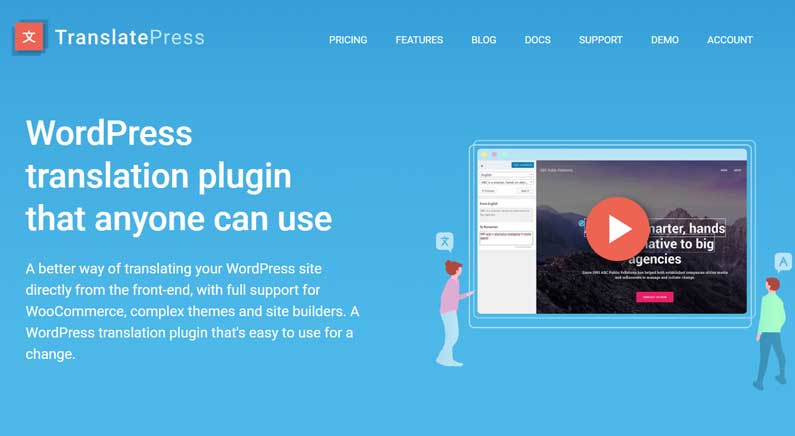
TranslatePress is among the most feature-rich WordPress multilingual plugins. TranslatePress allows users to automatically or manually translate any of the users’ site elements, including:
- Blog posts
- Custom post types
- Web pages
- Media
- Widgets
- Plugins and themes
- Pop-ups and sliders
- SEO elements
To instantly translate content, TranslatePress utilizes Google Translate and DeepL. Meanwhile, manual translations allow users to carry out the process themselves, employ a professional translation service, or hire a professional translator.
Regarding the last option, website owners can opt for the plugin’s premium version and assign the translator a Translator account.
Therefore, they won’t have to worry about collaborators having the same amount of access as other users.
TranslatePress provides 221 languages to choose from. That said, users can still add up to unlimited languages to translate.
This plugin also allows users to exclude content from translations. On its interface, site owners can monitor the translated content in real-time. Therefore, you can easily check if everything goes as planned.
TranslatePress packs a customizable language switcher via shortcodes, enabling users to place the switcher as a menu item or a dropdown.
What’s more, TranslatePress stores translations in the site owners’ servers, ensuring they won’t lose their translations.
An SEO pack add-on is also available to help translate image alt texts, URL slugs, and Facebook social graph tags.
TranslatePress’s free plan is perfect for site owners who only need to translate their WordPress websites to one language. Users can get the TranslatePress free version from the WordPress plugin repository.
To get unlimited languages, premium support, and other supporting add-ons, TranslatePress’s entry-level Personal plan retails at €99/year (€8.25/month), roughly around $105/year.
Weglot: Machine, Human, and Self-Translations
Weglot, the last in this list, is an excellent translating plugin for business owners wanting to create a multilingual website. This plugin works well with popular eCommerce platforms, including WooCommerce, Shopify, Squarespace, and Adobe Commerce.
Weglot has more than 100 languages to choose from. It offers manual and automated translations while allowing users to review and edit them from its intuitive interface.
Regarding automated translations, site owners can choose among the following options:
- Utilize the built-in machine translation.
- Sign up for automatic translation services like Google, DeepL, and Microsoft, depending on the target language.
- Combine both methods to ensure higher accuracy.
Weglot is also easy to set up, as it excludes coding from the process. It has translation management tools, enabling site owners to improve collaboration within the team and with professional translators.
Like most of the WordPress translation plugins in this list, Weglot plans also packs multilingual SEO tools.
However, the URL translation feature is only available in the higher-tiered plans: Advanced from €299/month and Extended from €699/month.
Weglot’s more affordable options are Starter from €15/month, Business from €29/month, and Pro from €79/month (all billed annually, 2 months free).
Finally, the Weglot free version allows one translated language for up to 2,000 words.
Conclusion
Seven plugins, seven ways to go multilingual - so which one should you actually install?
If you want to test the waters for free, GTranslate is our top pick: its free plan doesn’t cap language choices or translated words, and its machine translation is fast to set up.
If you’re ready to invest in a paid plugin, WPML is the strongest all-rounder - WooCommerce and WP Rocket compatibility, string translation, multilingual SEO, and flexible language options, all at one of the most reasonable price points on this list.
Machine translation gets your site live fast, but it won’t catch tone, nuance, or the kind of mistake that embarrasses a brand in front of a new market. Whichever plugin you choose, pair it with professional translation services for the pages that matter most - your homepage, product pages, and anything a customer reads before they buy.
Good luck with your multilingual site!